


· Photographer's Toolbox
· alloy photo
· John Beardsworth
· Capture Monkey
· lightroom-plugins.com
· Adobe Addons
This Plugin Is Dead
As of August 1, 2018, Facebook revoked photo-upload privileges for all non-browser desktop apps like Lightroom,
from uploading to personal pages. It's still possible (at this point) to upload to non-personal pages like
business and community pages.
As of Spring 2019, though I've seen nothing announced officially, Facebook seems to be revoking all privileges for some (most? all?) folks, including uploading to business pages.
Unfortunately, I have to consider this plugin dead. )-:
facebook-20200612.425.zip
· FAQ
· Version History
· Update Log via RSS

· Installation instructions
· “Donationware” Registration Info
· More Lightroom Goodies
· All-Plugin Update Log via RSS
· My Photo-Tech Posts
· My Blog
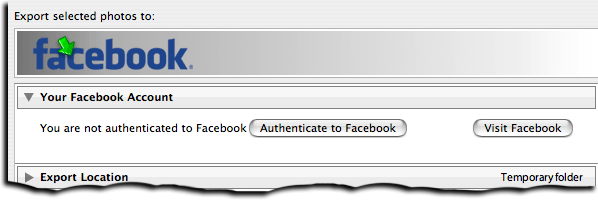
This plugin allows you to export images from Lightroom directly to non-personal albums at Facebook that you have permission to add to (albums in a business page, group, etc.). As per Facebook's entirely-arbitrary policy, photos may not be uploaded to personal pages.
With Lightroom CC/6 and later, friends can be automatically tagged in the uploaded photos.
This plugin works in Lightroom Classic, and older versions as far back as Lightroom 3, though some features depend on the version of Lightroom.
The same download works for both Windows and Mac. See the box to the upper right for the download link (in orange) and installation instructions.
Please see the FAQ and known issues before reporting bugs. If this is your first look at my export plugins, please see the announcement post for an overview and some important information.
When run in Lightroom 3 or later, there is support for Publish, though limitations at Facebook make it important to understand the Facebook-specific caveats in this feature. See the manual for Publish to Facebook for details.
App Permissions and Missing Albums
Due to how Facebook enforces your privacy settings, you may upload only to albums whose visibility is not less restrictive than the privacy setting you've chosen for this plugin app. See this FAQ if some albums seem to be missing.
Availability
This plugin is distributed as “donationware”. I have chosen to make it available for free — everyone can use it forever, without cost of any kind — but unless registered, its functionality is somewhat reduced after six weeks.
Registration is done via PayPal, and if you choose to register, it costs the minimum 1-cent PayPal fee; any amount you'd like to add beyond PayPal's sliding fees as a gift to me is completely optional, and completely appreciated.
Note: a Lightroom major upgrade, such as from Lr10 to Lr11 de-registers the plugin in the upgraded version, so if you want to maintain registration, a new ($0.01 if you like) registration code is needed in the upgraded version. It makes for a hassle every couple of years, I know. Sorry. See this note for details.
For details on plugin registration and on how I came into this hobby of Lightroom plugin development, see my Plugin Registration page.
“Privacy Policy”
Facebook requires that I have a stated “privacy policy”, so here it is: I respect your privacy.
With one exception mentioned below, the plugin keeps all your photos and Facebook data between you and Facebook, and it's never sent to me or anyone else unless you go out of your way to share it (e.g. by explicitly sending me plugin logs or an email). If you do choose to send me something, I respect your privacy.
The one exception mentioned above is that during the process of authentication the plugin (giving it permission to upload photos on your behalf to your own Facebook account), technical limitations at Facebook require the process to momentarily pass through my web site's servers. The data in this step is used only in furthering Facebook's authentication process, and is neither logged nor shared with anyone else.
Unrelated to your photos or your personal data, the “check for plugin updates” process passes along anonymous system statistics: what version of the plugin is currently installed, what version of Lightroom is being used, and whether the plugin is being run on Windows or a Mac.
Version History
(
Update Log via RSS
)
| 20200612.425 |
This plugin is still dead, but this version eliminates Lightroom version checks, so that you can at least view your old FB publish-service collections in future versions of Lightroom. |
| 20190810.424 |
Fixed the SST1 and SST2 tokens. |
| 20190731.423 |
Updated the PublishCollectionName token (and CollectionNames and CollectionFullNames) to remove the MIRROR: prefix from the name that mirrored collections within my Collection Publisher plugin automatically get. |
| 20190708.422 |
Fixed a problem with the SpeedKPH token. Finally figured out the “Assertion failed: packed” error. Added TempC and TempF to the template tokens that my plugins understand. Added the TempC and TempF tokens. Updated the keyword-related tokens to accept standard filters. Work around a bug that sometimes causes plugins to be disabled when starting Lightroom via clicking on a catalog file. Fix an "Unknown key: captureTime" crash. Added the GPSCoords token. Fixed a problem related to template tokens and photos without capture times. Added functions uc(), ucFirst(), lc(), and lcFirst() to the LUA token. |
| 20181106.421 |
When not logged in, make it more clear what you're not logged into, and how to fix it. Updated the alphabetical sort to be "sorta-smart alphabetical sort", whereby names that differ only by a number are sorted numerically. For example, "album2" properly falls between "album1" and "album3", but "album20" falls after. The former straight-up alphabetical sort put "album20" before "album3", which is ugly and unpractical. Added the PEOPLE variable to the LUA token. |
| 20181020.420 |
Created a way to completely disable the fetching of photo comments from Facebook. Lightroom normally does this for every photo in a publish collection after every publish operation, and that overhead can be significant if you have many photos in your collection. If you never care about photo comments, you can now visit the Plugin Manager to completely disable the fetching and the overhead. |
| 20181017.419 |
Make the template-editing window a big bigger in the caption editor. |
| 20181015.418 |
Updates for Lr8 (Lightroom Classic CC Version 8). Added the special PP() function to the {LUA} token. Try to work around a Lightroom bug related to photo timezones and how Lightroom handles accessing plugin data. Added hierarchical options to the Keywords token. |
| 20181004.417 |
Added the 'nicknames' modifier to the {People} token. |
| 20181002.416 |
Resurrected the plugin for use with business pages (business pages only). On Aug 1, 2018, Facebook revoked photo-upload permission for all non-web non-smartphone apps, including this plugin. I've no real idea why Facebook would do this... they seem capricious at best, but in any case, they shut down the ability to upload photos, so I retired this plugin and thought that was the end of it. BUT! It turns out, for whatever reason, Facebook still allows photo uploads to business pages from apps like this plugin. So I've resurrected the plugin with changes so that only business-page albums are shown. Added the folowing template tokens: {home}, {desktop}, {temp}, {pictures}, {documents}, SST1, SST2, SS3 Sometimes Lightroom loses the "Visit At... " link for a publish collection; dig harder to come up with it anyway. Input fields that accept a location can now handle a What3Words code and a Plus Code. Clicking on the version number in the Plugin Manager now copies version info to the clipboard Updated the PublishCollectionName token to allow numeric arguments along the lines of the CollectionName token. Added the 'PCH' variable to the {LUA} tag. |
| 20180510.415 |
Fixed a boo-boo with the previous update. |
| 20180508.414 |
Added the IptcDateTaken token. |
| 20180422.413 |
Added some debug logging. |
| 20180420.412 |
Bump up to the latest Facebook third-party API. Fixed a bug when 'Token Examples' invoked in certain situations. When encountering catalog corruption, present a better error message. Added a bunch of token filters: F2D F2S F2X B2D B2S B2X S2X A2D A2S A2X |
| 20180120.411 |
Avoid a FB error during republish. |
| 20171229.410 |
Updates to the data templates that my plugins understand: updated the Keywords token, added CollectionNames and CollectionFullNames tokens, and added a bunch of stuff (KWf, CN, CFN, CNf, CFNf) to the {LUA} token. |
| 20171113.409 |
Correct the text of a label. |
| 20171019.408 |
Oops, more Lr7 stuff. |
| 20171019.407 |
Updates for Lightroom 7 |
| 20171003.406 |
When uploading photos, tell Facebook that the photo time is accurate to the minute. |
| 20170925.405 |
Better handle some character-encoding issues related to template tokens. Allow the "If Exists" feature of template tokns to work with the PluginProperty token. Update registration support to handle a stupid bug at PayPal that PayPal refuses to fix )-: |
| 20170710.404 |
Fixed a bug introuded the other day in template tokens, related to Windows filenames. |
| 20170621.403 |
Added the "only if it has a value" feature to template tokens. Updated the {FolderName} token to allow {FolderName=1} (rather than requiring the plus as in {FolderName=+1}) |
| 20170617.402 |
Updated the Facebook API version to 2.9. Added the Newline template token. Enhanced the FolderName token |
| 20170403.401 |
Better Facebook support in my People Support plugin |
| 20170309.400 |
Added the following tokens to the template tokens that my plugins understand: Artworks, ArtworkTitle, ArtworkCopyright, ArtworkSource, ArtworkCreator, ArtworkDateCreated, ArtworkInventoryNum, ISO8601Date |
| 20170109.399 |
Oops, yesterday's update caused all photos sent to Twitter to be marked as sensitive. |
| 20170108.398 |
Retooled to use a new Twitter API, allowing photos not to take up any characters in a tweet. Added Weekday, Wday, weekday, and wday to the list of template tokens that my plugins understand. Switch the log-sending mechanism to https. |
| 20161018.397 |
Fixed a bug with the keyword tables in the LUA token. |
| 20161007.396 |
Got around a situation where Lighroom would crash duing an export of large images. Better dialog real-estate managment for the meatadata section. |
| 20160829.395 |
Figured out a way to get video uploads to work. I think. |
| 20160713.394 |
Added the following tokens to the templates that my plugins understand: FileModYYYY, FileModYY, FileModMM, FileModDD, FileModHH, FileModMIN, FileModSS, FileYYYY, FileYY, FileMM, FileDD, FileHH, FileMIN, FileSS. Fix for Lightroom 2. Support for older versions of Lightroom will be stopped soon. |
| 20160628.393 |
Ignore errors about not being able to get an album list from secret groups one doesn't own. Added the {FilenameNumber} token to the templates that my plugins understand. Some updates to support Lr2. Lr2 is sufficiently old that I will drop support for it soon. |
| 20160605.392 |
Make the album-description input box bigger. |
| 20160506.391 |
Upgrade to Facebook API v2.6 Facebook apparently truncates album titles beyond a certain length. Handle that, and album-title conflicts, better. |
| 20160418.390 |
Upgraded to Facebook API version 2.6 Fix to get around a Mac display issue with Lr6 on OSX. Added Russian-langauge support for the People-Support |
| 20160118.389 |
It seems that Facebook has a bug that tells the plugin that some users' albums (such as Timeline Photos) are not valid upload destinations, even though they are. Facebook has said that they acknowledge the error but that they will explicitly not fix it, so I've updated the plugin with a kludgy workaround: such albums will now be listed, though marked with "Maybe" to indicate that they may or may not work; you'll only know by giving it a try. Added the ability to associate an image URL at Facebook with a photo in your library (via "File > Plugin Extras > Facebook Extras") to allow keeping track of photos uploaded via other means. Take care, though, to remember that Facebook does not allow image updates (update attempts via Export or Publish involve a delete and a re-upload, which ends up destroying all likes/comments of the original). I continue to recommend avoiding Publish with Facebook. The {People} token wasn't working properly for some keywords without a registered birthday. Updated Twitter support to better count lengths of tweets that include URLs. Added ChildOf and DescendantOf filters to the {Keywords} and {KeywordsAll} template tokens that my plugins understand. Fixed a bug with the 'edit saved credentials' dialog. Try to avoid yet another place where Lightroom gets hung because it can't handle certain kinds of dialogs at the same time. |
| 20151009.388 |
Updated the Caption part of the dialog to show up to three lines of text, and the full text in the tooltip. Added {SpeedKPH} and {SpeedMPH} to the list of template tokens supported by my plugins. |
| 20150517.387 |
Fixed the "SpecPeople:259: attemt to index al nil value" error. Clicking on the example caption in the export dialog now brings up a dialog showing the whole example caption, which is useful to see the full thing when it contains multiple lines. Unnamed faces in photos could cause tagging at Facebook to not work. Updated to version 2.3 of Facebook's 3rd-party app API. |
| 20150503.386 | The ability to show albums for various destinations (e.g. business pages) in Export was inexplicably lost if you visited Publish. |
| 20150502.385 | Try to fix the "Requires extended permission" error some users have seen. |
| 20150501.384 | Fix an person-related error introduced in the previous build. |
| 20150430.383 |
In Lightroom CC/6, people are tagged at Facebook if their face is recognized by Lightroom's face recognition, and a Facebook account has been associated with the person in my People Support plugin. For details, see "Automatic Face Tagging Now Supported in my Upload-to-Facebook Plugin for Lightroom". |
| 20150414.382 |
Some users are still getting the "please reduce..." error. This is almost impossible to get around definitively because Facebook gives no indication what "too much data" is, nor a way to explicitly limit data requets to be under whatever that limit is. /-: |
| 20150413.381 |
Facebook has started choking with some data requests, suddenly returning "Please reduce the amount of data you're asking for, then retry your request" instead of the user's data. This update tries to work around this. Also updated to v2.3 of their API. |
| 20150302.380 |
Big revamp to the list of destinations... use the [refresh list] button to get the new features: Added the ability to post to the app's default album, as well as to the timeline for a group or page, and to albums in groups you're a member of (that you have permission to upload to). Put a picker above the list to isolate albums for a partiuclar group or page. It seems that FB raised the limit to 1,000 photos per album, so the plugin now reflects that. |
| 20150223.379 |
Fixed an assert-failure bug that could happen when editing a collection's settings. |
| 20150206.378 |
In the POODLE-vunerability dialog, display a raw URL of a page on my site that discusses the issue, so that folks can be independently sure that the dialog is indeed from me and not malware. |
| 20150129.377 |
Allow the list of albums in the Export Dialog to be longer. |
| 20150126.376 |
Added support for the Updated the camera-name code to try to guess the actual camera model of Hasselblad H5D files, since in their infinite wisdom Hasselblad decided to encode three distinct models with the same internal code, making it impossible to know for sure what camera produced a given image file. |
| 20150103.375 |
Fix to the date_diff() function supported by the LUA template token. |
| 20141217.374 | Complete overhaul of how the plugin talks to Facebook, moving to their new API. All prior versions of the plugin will no longer function correctly when Facebook turns off the old API in April 2015, so everyone will have to upgrade to this version or later before then. |
| 20141210.372 | Registration was broken on Lr2 |
| 20141204.371 |
Added an "Export Location Override" section to the Publishing Manager dialog (when editing an existing publish service) that allows you to change the Export Location. I don't know why Adobe doesn't let you change it... it seems arbitrary. Add a help dialog to the publish-services edit dialog to make it clear how to delete a publish-services collection. Use a compressed view on the Plugin Extras dialog if the screen is not very tall. |
| 20141023.370 |
Added extra logging to debug why Lightroom might fail to render for export |
| 20141019.369 | Windows Only: Add a one-time check for the POODLE security vulnerability, and alert the user if it exists. |
| 20141010.368 | Better error reporting with the visit-collection item in Publish. |
| 20140923.367 | Added the LrMD5, LrLocalization, LrSystemInfo, and LrMath packages to the {LUA} template token. |
| 20140922.366 | When deleting from a publish collection, properly maintain the 'Uploaded to...' metadata field. |
| 20140903.365 | Added the ability to set the photo date to the actual date of the photo. See the Metadata Management section of the Export/Publish dialog. |
| 20140902.264 | New build system |
| 20140829.263 | Facebook suddenly changed how they report some error conditions |
| 20140828.262 | When reporting albums that Facebook won't let the plugin upload to, don't list them all... just the first one or two. |
| 20140802.261 |
Updated the Twitter support to allow my plugins' template tokens in the tweet text. Made the {GPSAltitude}, {Altitude}, and {GPSCoordinates} tokens subject to the geo-privacy settings like the other geo-related tokens. |
| 20140731.260 | Registration fix for Lr5.6 |
| 20140729.259 | Previous updates broke support on Lightroom 2 |
| 20140720.258 | More Creative-Cloud support. |
| 20140715.257 |
Fixed an issue with Creative-Cloud revalidation. |
| 20140712.256 |
Lr5.5 and later Creative-Cloud installs can now revalidate themselves if needed. |
| 20140710.255 | Sigh, had a bug in the Creative-Cloud support. |
| 20140708.254 |
Now supports Lr5.5+ Creative-Cloud Installs. |
| 20140704.253 | Sigh, introduced an error for some folks with the rebuild the other day. |
| 20140630.252 | Build-system update |
| 20140618.251 | Added the ability to create collection sets in Publish, which allows for Lightroom-only grouping of your albums. |
| 20140613.250 |
Added date_diff() and raw_time_diff() functions to the special {LUA} token understood by the plugin. |
| 20140530.249 |
Set up the ability to reauthenticate to your FB account from the Publishing Manager dialog. Made the choose-destination-at-export-time dialog better fit a small screen. |
| 20140510.248 | A missing 'automatic destination' could cause the plugin to crash. |
| 20140509.247 |
Added new tokens to the template language the plugin understands: LrVersion, LrVersionMajor, LrVersionMinor, LrVersionRevision, LrVersionBuild, Location, CatalogName, CatalogPath, OperatingSystem, OS Added new token filters: NS and LO |
| 20140422.246 |
Fixed a bug in the "smoother revalidation" stuff recently added. |
| 20140417.245 |
The {Empty} template token wasn't working properly. Added the "Recent Facebook Comment" custom metadata item, which holds the date of the most recent comment for a Published photo, in YYYY-MM-DD format. While in the "Published Photos" section of the Library Grid, you can set the Filter to "Recent Facebook Comment" and then scroll down to the end to see the most recent dates, and via that see the most-recently commented photos. It's a bit unelegant, but it's the best I can think of within the severe limits of Lightroom's plugin infrastructure. Fixed a sublocation-related bug in the new geo-privacy stuff. Make the revalidation process smoother, especially for folks using Lr5.4 and later. |
| 20140225.244 |
Added a new "Location Privacy" section to the Exprt/Publish dialogs. Updated the location-based tokens in the template language the plugin uses — City, State, Country, Location, Latitude, Longitude — to respect new privacy options in the Export/Publish dialogs, and in the resend-metadata dialog. You can override those options on a case-by-case basis with the evenIfPrivate filter. Added locationIsPrivate variable to the environment available to the LUA token. |
| 20140204.243 |
Enable a new feature internal to Lr5 for large exports that keeps the CPU from running too far ahead of the upload. Prior to this, Lightroom would go ahead and peg the CPU to pre-render all the images even if they weren't being uploaded at nearly the same speed. Now Lightroom pauses the behind-the-scenes rendering if it has gotten too far ahead of the upload. |
| 20131011.242 |
Gave the Publishing Manager UI some attention on Windows. Added the “:EMBED” token filter to the template language. |
| 20130926.241 | Oops, fix a bug introduced in the previous update |
| 20130925.240 |
Added a bunch of tokens to the preset templates supported: ExportFormat, ExportColorSpace, ExportBitDepth, ExportQuality, ExportSharpeningLevel, ExportSharpeningMedia, IpernityUrl, GoogleDriveUrl, and TumblrUrl. The token-examples dialog had been broken. Also deprecated Folder and Path tokens in preference to FolderName and FolderPath tokens. |
| 20130909.239 |
Work around a Lightroom bug concerning the determination of whether a photo is offline. |
| 20130820.238 |
Adapted to changes at Facebook in how deleted photos are handled. Better handle very long user account names, so that the [Logout] button doesn't get cut off of the Export dialog. Made big updates to the "Export with Smart Previews?" section; you can now pick to be asked whether to export via Smart Previews, and can differentiate between when the Smart Previews are "good enough" for an export and when they are not. Fixed the KW/KWE tables in template tokens; they had been broken when using load for the script. |
| 20130701.237 |
Work around a bug that causes the export-related progress bar to not show up right away. |
| 20130629.236 | Added an error report to aid in debugging why publish association might fail. |
| 20130613.235 | Better support for plugin revalidation. |
| 20130611.234 | Sigh, previous update for Lr5 broke things for the Lr5 beta. |
| 20130611.233 | Yet another Lr5 update |
| 20130610.232 | Better logging to try to understand catalog-write-access contention under Lightroom's hood |
| 20130524.231 | Apparently, a recent change broke things on Lr2, which some folks apparently still use. |
| 20130520.230 |
Added the ability in Lr5 to export images even if the master image file is not available, so long as there's a smart preview available. |
| 20130501.229 | Update for Lr5 |
| 20130412.228 | Fix to the Twitter fix. |
| 20130412.227 |
Sigh, Twitter yet again made an unannounced undocumented change to their API that immediately breaks apps that have worked for years, and doesn't even bother alerting developers after the fact. Lord knows how many developers wasted how many hours trying to debug something that should have been announced on the developer's blog. Days later, it's still not announced there. Twitter is not worse than Facebook, but seems to be trying. |
| 20130409.226 | Can now have Publish collections renamed to match album names changed at Facebook. |
| 20130330.225 | Fix to match Facebook's (undocumented and unannounced breaking change) in the Authentication flow. |
| 20130328.224 | Fix for the registration system. |
| 20130319.223 |
Fixed a possible plugin crash in Lr2 that might happen if the remote site's servers are failing. |
| 20130220.222 |
Added support for some new template tokens: FlagStatus (requires Lr4.1 or later), and for Lr3 and later, a bunch of IPTC extended metadata: AdditionalModelInfo, CodeOfOrgShown, DigImageGUID, Event, ImageSupplierImageId, MinorModelAge, ModelAge, ModelReleaseID, ModelReleaseStatus, NameOfOrgShown, PersonShown, PlusVersion, PropertyReleaseID, PropertyReleaseStatus, and SourceType. |
| 20130214.221 | Small fix for Lr2 |
| 20130210.220 | Trying to fetch FB comments in Publish for images that no longer exist at FB caused errors. Now, the plugin inserts a "this photo no longer exists at FB" comment for the Published Photo. |
| 20130209.219 | Update to handle new Twitter url-length settings. |
| 20130206.218 | Update the Twitter-related code to handle their new API. Their old API goes away next month. |
| 20130201.217 |
Added the ability to use "automatic destinations" (the naming of target galleries based upon image metadata) in Publish. It's been in Export for years (as illustrated in this 2008 article on backing up), and you must create the destination presets from Export, but you can now access them in Publish. Added the ability to set the caption on a one-off basis by just typing it in, avoiding the need to make a preset each time. A lot of work on the upload datapath, making it more efficient and restoring the ability to retry the attempt on certain errors. |
| 20121203.216 | Add a link to the FAQ for the "missing destination cookies" error. |
| 20121014.215 | Added a help dialog when encountering the mysterious 'handle in the wrong state' error. |
| 20121010.214 | Fixed Twitter authentication. |
| 20121009.213 |
Workaround for an "attempt to call field 'getProgressScope'" bug introduced in Lr4.2. |
| 20121009.212 |
Added the ability to create new galleries directly from the Publish Service context menu. Enhance the {EMPTY} template token so that it interrupts the squelching of superfluous joining characters. Fixed some issues surrounding the "Create Album" dialog in Publish. |
| 20120821.211 |
Updates to the environment in the {LUA} token (in the template tokens in my plugins) to include photoTime() and currentTime(), and other changes to match the updated docs at that link. .Wow, it seems some people using Lr2 are still using very old versions of Lr2 that aren't up to snuff feature/bugfix wise. I don't want to support gratuitously old stuff, so I put a minimum of Lr2.6 to use the plugin. |
| 20120614.210 |
Very slow uploads in Lr4.1 could cause the new progress bar stuff to blow up. Twitter support now allows suppressing "Private" geoencoded locations in Lr4.1+ |
| 20120602.209 |
New upload engine in Lr4.1 that greatly increases the efficiency of large uploads. In Lr4.0 and older versions, upload handling is inefficient and large uploads can crash Lightroom. With Lr4.1 and later, you also get an upload percent-complete report in the task progress bar, and the ability for upload cancels to take effect immediately. Update to handle the Mac App Store version of Lightroom. |
| 20120508.208 | Yikes, Lr2 registrations were broken again. |
| 20120430.207 |
Tweak for Lr4.1RC2. Fixed the “photo too large to tweet” dialog message, which had been all garbled up. |
| 20120421.206 |
Added to the template tokens supported by the plugin: {FullMasterFolder}, {FullExportedFile}, and {FullExportedFolder}, and to match, renamed the recently-added {FullMasterPath} to {FullMasterFile}. |
| 20120411.205 |
Enhanced the send-log dialog to hopefully make reports more meaningful to me, yielding, I hope, the ability to respond more sensibly to more reports. Added {FullMasterPath} to the list of template tokens supported by the plugin. |
| 20120411.204 | The plugin now better reflects Facebook's application of app/album privacy settings. A new note has been added to the Publish/Export dialogs to highlight when albums are missing because the app permissions are more restrictive than one or more of your albums, alerting you to this FAQ about “missing” albums. |
| 20120406.203 | Better handling of expired access-authorization tokens. |
| 20120330.202 |
Better reporting of the "Application does not have permission for this action" error now refers users to this FAQ. Update to handle 4.1RC. |
| 20120323.201 | Better handle a login error condition. |
| 20120316.200 | Made is so that you can now reauthenticate from the Publishing Manager. Handle more gracefully when authorization to access a user's account has been revoked. |
| 20120309.199 | Had broken registrations in Lr2; Update to the debug logging to better track down timing issues that might arise. |
| 20120229.198 |
Lots more preparation for Lr4 (but still works in Lr2 and Lr3). Files that are offline are now detected before an export/publish begins, and if there are any, offers the option to abort the export, or just skip the offline ones. This is a lot more clear than the "dng_error_file_not_found" error you get from Lightroom if you follow through with an export attempt of an offline image. Update for an FB API changes. |
| 20120217.197 | Discovered why "metadata that triggers a republish" wasn't reliable, and fixed it. |
| 20120214.193 | Fixes an Lr2 issue introduced in the previous version. |
| 20120214.192 |
A change in the previous version seemed to tickle a bug in the that would see Lightroom lock up when the plugin was enabled with certain catalogs. I'm not entirely sure what the bug was, but in this release I've worked around what was tickling it. |
| 20120207.191 |
Attempt to prepare for changes Twitter has announced will take place in how they return information about server errors. More on the march toward Lr4, including upheaval in the code to handle Lightroom APIs being discontinued in Lr4. Bumped up the minimum Lr3 version to Lr3.5, to ensure we've got those bug fixes. Lr2 and Lr4 are still supported, of course. Added the {AspectRatio} token to the token templates understood by the plugin, and added the Length=num filter. |
| 20120121.190 | More robust error handling during authentication |
| 20120114.189 | More tweaks for Lr4b |
| 20120112.188 |
Better error handling for video export, and for when images/videos exceed upload limits. Plugin can again delete photos at Facebook (which means that in one sense they can be replaced, by uploading a new copy and deleting the old one). Warn about the need to update the list of albums if it's not been updated for a long time. The Lightroom bug referenced in the version note for 20110623.169 was fixed in Lr3.5, so I've removed the special workaround processing for that version and later. Enabled export snapshot creation in Publish. Removed the “Re-mark as Published” button from the plugin-extras dialog in Lr4, because Lr4 now supports this natively. Moved the Twitter code over to a new style of Twitter authentication, in hopes that it cures the authentication problems some people have been having. Moved all access of Twitter to HTTPS. Removed an obsolete reference to bit.ly from the Twitter help dialog. Update for Lr4 beta: explain in the plugin manager that the plugin can't be registered in the beta. |
| 20111210.187 |
Fix an "attempt to concatenate field 'user_id_string'" error that pops up at rare times. Added a system-clock check and reports to the user if the system clock is more than a minute out of date. An incorrect system clock can cause problems with various kinds of communication and authentication with some of my plugins, so I've just gone ahead and added this to every plugin. Had issues with the registration button sometimes not showing. |
| 20111030.186 |
When doing a plugin upgrade, offer the ability to flush all the old copies of the plugin Reporting some errors can create a huge dialog box that can be difficult to close on OSX, so this update adds a [X] button in the upper right of the dialogs. |
| 20111006.185 | Plugin would crash in some cases while trying to process Twitter-related settings. |
| 20110928.184 |
The "unknown error occurred" error that plagued FB for much of 2009 has resurfaced. These days I'm getting reports of it when trying to fetch the list of albums one can upload to (there's one list per page/group/etc.), so in an effort to not have this FB bug cripple the entire plugin, I'm giving a try to just continuing on... if other album-list requests are fulfilled, you'll at least be able to upload to those albums. We'll see. Otherwise, there's nothing we can do about these errors but hope FB acknowledges the error faster than the nine months it took last time. )-: Facebook gives a really weird error when the target album is full, and I wasn't detecting it well. I missed obfuscating some access tokens in the logs. |
| 20110922.183 |
It seems that FB suddenly started restricting the visibility of newly-created galleries to an app-wide max each user can select (on the user's app settings page), which defaults to the restrictive "Only Me". This means that even if you explicitly select "Friends" or "Everyone" when creating a gallery, it will be restricted to "Only Me" unless you've changed your app settings at Facebook for this plugin. The plugin now alerts you to this. Gallery-creation now defaults to "Only Me", as per Facebook guidelines. FB is acting up and returning odd errors at odd times, so the plugin now tries to handle them more gracefully. |
| 20110904.182 | Try to be more flexible with the authorization protocol handling. |
| 20110903.181 |
Added {PluginProperty} to the template tokens used by my plugins. Some internal optimizations to handle large album sets. |
| 20110820.180 | Handle invalid authorizations a bit more gracefully. |
| 20110819.179 |
Added the ability to include a photo when issuing a tweet via Twitter. Gave the Twitter tweet input UI some attention. Twitter automatically replaces URLs with their own Made it so that hitting ENTER while entering a tweet does not actually launch the export. This is a maddeningly-frustrating aspect of the Lightroom plugin infrastructure, but I've worked around it in a way that seems to work. Fixed "attempt to compare nil with number" error that some users might have gotten in Publish. |
| 20110814.178 | Fixed "attempt to compare nil with number" error that some users might have gotten in Publish. |
| 20110729.177 | The 'refresh list' button was missing from the upload-destination list when it was configured to be a popup menu. |
| 20110728.176 |
Added the ability to suppress the wall post that FB automatically creates when you upload photos to a public gallery. Fixed a "attempt to compare number with string" bug. A lot of code cleanup and reshuffling under the hood that shouldn't result in any user-visible changes, unless I broke something... |
| 20110712.174 | Had a minor plugin-crashing boo-boo in the previous update |
| 20110711.173 | Really long captions could cause a stack overflow. |
| 20110708.172 | Fix the "Export:663" error some have gotten. |
| 20110706.171 | Still struggling with catalog-access issues that seemed to have materialized out of the blue (with a bug in Lr3.4??). This update addresses creating a new publish collection. |
| 20110703.170 | For Lr2, fixes a 'must be called inside withReadAccessDo' error I'd recently introduced. For Lr3, tries to address a similar error that seems to pop up in rare cases. |
| 20110623.169 |
There's a bug in Lightroom that causes it to sometimes include private keywords in exported copies. The plugin now detects these situations and alerts you to them, allowing you to avoid a privacy blunder. |
| 20110613.168 | It turns out that Chrome is a bit flaky with the new automatic authentication stuff... sometimes it works, sometimes not. So I've made it now that if it doesn't work, it reverts to the old style where you have to cut and paste the token. It's unfortunate, but at least you can authenticate. |
| 20110611.167 | Lr3 only: got rid of the need to cut-n-paste a code during authentication... it's all handled automatically now. |
| 20110603.165 |
Didn't quite rip out all the photo-deletion support, resulting in a "PhotoHistory:399" bug. |
| 20110530.164 |
Ripped out support for deleting photos... Facebook quietly yanked this permission from third-party apps without telling anyone, then said "it's by design" when pushed repeatedly for an answer (see bug #17055 if you have access to their bugbase). Facebook continues to innovate new ways to treat their developers like dirt and their users like cattle. Better handle long album names by truncating at the beginning with '...', and having the tooltip be the full name. Better handle the FB error if a user has changed their password and needs to reauthorize the plugin. Should be smooth and painless now. |
| 20110521.163 |
Fixing some problems with Lr2 that the comment-refresh thing the other caused. |
| 20110520.162 |
Fixed a bug that caused the export destination to not properly refresh in response to selecting a preset in the export dialog. |
| 20110519.161 |
Added a new section to the Publish Service settings dialog, on whether to refresh remote comments (at Facebook back into Lightroom) automatically or only manually. Made changes to track Facebook's ever-moving target for how they report errors, and for the new errors they've introduced for things that used to work. Sigh. Be more robust to errors during the gallery-creation process. |
| 20110419.160 |
Wasn't properly issuing an error message when used with Lr3.0 and Lr3.2. (because in Lr3, you should use Lr3.3 or later. |
| 20110408.159 |
Facebook, in their infinite wisdom, seems to have started disallowing blank captions, so if you try to upload with a blank caption, it'll try pulling some random data from the image file (e.g. your name or email address) and use that as the caption. Sigh. I've submitted the bug (which I fully expect them to ignore, just as they ignore all the bugs I submit), and for the time being I've figured out a workaround that involves an uncommon Unicode character that appears blank, so hopefully this hides the problem at least until Facebook figures out a way to make things difficult again. )-: Updated the album-creation tool to allow "only me" albums to be created. Fixed some plugin-crash asserts that some new users might get. Added "select all" button to Publish collection list. |
| 20110401.158 | Labels that the plugin appended to non-personal albums (e.g. "[Fan]") in the list of albums were inadvertently included in album names in Twitter tweets. Fixed. |
| 20110329.157 | Oops, the button to refresh the list of galleries had inadvertently disappeared. |
| 20110329.156 |
Added the ability to select which metadata items cause a Publish republish. Added the ability to create new Facebook albums from within the publish manager. Added the ability to sort the album list in the Publishing Manger |
| 20110312.155 |
Added some extra logging to try to debug a "Facebook:1399: attempt to index field '?'" error. Added a progress dialog to the "Re-mark as Published" operation, so that it can be canceled, and to make it clear that something is going on under the hood. The list of upload destinations was sometimes getting cut off. |
| 20110207.154 | Facebook often has hiccups and other issues that result in corrupt replies to the plugin; Attempt to provide a better error message when these corrupt replies are detected. |
| 20110204.153 |
More cleanup of the new fan/page support, this time with comments and photo deletion. Fixed a bug whereby one couldn't export via preset to an account different from the currently-logged in account. |
| 20110125.152 | If the plugin had crashed due to the FB issue fixed in version 20110117.149, data corruption left behind by the crash might disable the plugin even when upgrading to a fixed version. So, this version now contains code to detect the data corruption and fix it. |
| 20110121.151 |
Added "Re-Mark as Published" to the Plugin-Extras dialog ("File > Plugin Extras > Facebook Extras"). If you have published photos in the "Modified Photos to Re-Publish" grid segment, this moves them back to "Published Photos" without actually uploading anything to Facebook. You might use this after making what you know to be a metadata-only change that won't affect how the image is shown at Facebook. |
| 20110118.150 | Facebook's recently-added support for uploading to fan-page albums might not be fully compatible with the sort options I allow. I've worked around it so that if the sort fails, it'll just be sorted wrong instead of crashing the plugin. |
| 20110117.149 | It seems that Facebook doesn't send a name for every page you might have access to, and the lack of a name caused a plugin crash. Fixed. |
| 20110117.148 |
More support for Facebook newly allowing third-party apps access to a user's pages/groups/apps: you can now create albums in other pages/groups/apps you control, but there's the caveat that for whatever reason (bug? policy?) Facebook doesn't include the newly-created album in the list of albums until it gets at least one photo, so until you actually upload a photo, it's invisible. I've worked out a kludge that makes it visible in this plugin's upload-destination list until you restart Lightroom, so if you upload to it right away, everything will be fine (because once you upload a photo, the album suddenly appears without the need for my workaround). Re-did the annotations I give to album names... it's much less cluttered now. Added Twitter support to Publish. Fixed a problem such that long album names caused buttons to become inaccessible in the export dialog. Not sure what happened to the export dialog since I last checked it in Windows, but it was in need of some UI love. |
| 20110116.147 | Hah, one day after I get around to adding a note in the plugin about Facebook not supporting uploads to fan pages, they quietly (without any announcement I can find, and minimal documentation) now support it, so this version removes the warning and adds support for uploading to fan pages. To get the new support, you must log out from Facebook in the Lightroom export dialog, then re-authenticate to Facebook from the same spot. This will put you through the "really grant the uploader-from-Lightroom app access to your account?" thing you did the first time, but now it'll be granting access to your fan albums as well. |
| 20110113.146 |
This version no longer works in Lr3.0 and Lr3.2 because many bugs have been fixed in Lr3.3: if you're using Lr3.0 or Lr3.2, please visit Lightroom's “Help > Check for Updates” to download the free update from Adobe. (The plugin also continues to work in Lr2.) Added {CroppedWidth} and {CroppedHeight} to the template tokens used by my plugins. |
| 20110113.145 |
Add a note of instruction to handle a (rare) situation where one needs to reauthenticate to Facebook in the normal Export Dialog in order to get a Publish Service working again. Hoping to stem the flood of mail asking how to upload to Fan/Business pages, the dialogs now repeat the same
warnings that I have plastered on the plugin web page and my FAQ:
|
| 20101217.144 | Updated Twitter support for Twitter's new API endpoints |
| 20101124.143 | Fixed a crash sometimes encountered while updating remote-account data in the plugin. |
| 20101116.142 |
Check whether galleries at Facebook have been renamed from when publish-service collections were created, and prompt the user with a note that the renaming can be incorporated into Lightroom by enabling the "Forcefully rename current collections" option. Replaced an ugly debug message that popped up when the plugin detected that a publish-service collection's related gallery at Facebook has been removed from Facebook, with a more user-friendly message. |
| 20101104.141 |
Fixes “Spec:343: attempt to index field '?' (a nil value)” error some were getting |
| 20101001.140 |
Facebook is upping the maximum image size to 2,048 pixels on the long edge starting today, so I'm pushing out a new version of the plugin with the new limit. At the time I'm pushing this, they have not enabled the new limit for all users, and they don't indicate by when everyone will have it, so for a while some users may end up with resized smaller photos anyway. But that's up to Facebook. Until now, Facebook has compressed the quality out of uploaded images, sometimes mildly and sometimes egregiously, and also removed color profiles and other metadata. Their announcement today doesn't indicate whether they are addressing these important issues (important to photographers at least, but less so to people socially sharing their snapshots), but if they're still squeezing the life out of uploaded photos, please don't blame the plugin. Also remember that Facebook does not allow updating a previously-uploaded photo in place, so don't think “oh, I'll re-upload everything at the larger size” because that'll involve deleting the copies that are already there, which means losing all comments, "likes", and other history. |
| 20100910.139 |
Some users couldn't authenticate (it seems Facebook changed how their authentication code looked), so I've relaxed what the plugin accepts. Publish was sometimes getting stuck in a 'not logged in' state, if you hadn't refreshed your account data in the plugin for too long a time. Not sure why I might have built it that way, but I took off the time limit so now it shouldn't get stuck anymore. Wish I understood why I'd put it in in the first place, though. )-: Warn about the loss of metadata if the "resize to megapizels" option is used. |
| 20100829.138 | Made the revalidation process much simpler, doing away with the silly need for a revalidation file. |
| 20100820.137 | Discovered a bug in my plugin build system that caused horribly difficult-to-track-down errors in one plugin, so am pushing out rebuilt versions of all plugins just in case. |
| 20100814.136 |
Added the {KeywordsAll} template tag. A few users found some photos to always be "stuck" as Modified photos in a Publish collection. I'm still not 100% what might be going on and can't replicate the issue myself, but this version of the plugin tries some things to hopefully alleviate the problem. Added code to allow plugin revalidation after having been locked due to a bad Lightroom serial number. Added an interactive filter to the album list in Publish; it'll show up if there are more than 10 albums. Only albums whose names match all the (space-separated) terms in the filter are shown. |
| 20100722.135 | Oops, introduced an error in the previous version. |
| 20100722.134 | Fixes the "attempt to compare number with string" error you might have gotten when trying to set the image size. |
| 20100715.133 | There was a bug on Windows that caused the warning about potentially-excessive JPEG quality settings to lock up Lightroom for an indeterminate amount of time. Only way I could fix it was to move the warning to the metadata management section (where it doesn't belong as much as it doesn't belong where it was before, but Lightroom doesn't let me put it where it should go, next to the jpeg-quality slider). This also allowed me to put it back into Publish. |
| 20100715.132 | Yikes, the JPEG-quality thing I added didn't play well with Publish. Removing it from Publish 'till I figure out a better way. |
| 20100715.131 |
Egads, the list of albums in the Publish Service dialog was not sorted. The plugin has long remembered your export settings from Facebook export session to Flickr export session, overriding Lightroom's desire to always bring your recent export settings from non-Facebook exports. However, I had neglected to update the list of settings for Lightroom 3, so this is now corrected, and so the plugin now also remembers watermarking settings, file-renaming and photo-stacking, and DNG compatibility. Added a warning that blocks export when the JPEG quality is set needlessly high, referring users to my Analysis of Lightroom JPEG Export Quality Settings. You can bypass the warning if you like, and hide it forever, of course. |
| 20100704.130 |
Fixed the LUA template token, which hadn't been working. Still trying to shake out some rough edges with the login caching stuff necessitated by Publish. Makes my head spin. Hope this update helps. |
| 20100703.129 |
Fixed the authentication cache stuff to work with Facebook's new API. Not sure how I let this one slip, sorry. Discovered some rare and complex bugs related to collection renaming, and (I hope) fixed them. Allow any pixel size (rather than 720 long-edge max) if saving to local disk as well as uploading. |
| 20100630.129 |
Finally pushing the new version out of plugin beta (where it has been for a couple of weeks, after eight months of oft-painful development. It's extremely complex under the hood, so now that it's getting wider user and additional bugs are shaken out, there will likely be frequent updates... please keep an eye on the version history when you update. Here are the update details from when it was in beta: 20100615.120 — This version can be registered in Lightroom 3. It can run in Lightroom 2 or Lightroom 3; it does not work in the Lr3 betas. It uses my new registration system when run on Lightroom 3, which avoids some of the silly issues of the old one. Please take care to note the details on the registration page: use of this version (or later) of the plugin in Lightroom 3 requires a new registration code. Lots and lots of changes under the hood, including tapping into Facebook's new API. Sadly, Facebook still doesn't allow you to upload to a business or fan page. I have no idea why. This version does have publish support in Lr3, but I caution against using it until you understand drawbacks inherent in all third-party Facebook uploaders. 20100616.122 — Few tweaks. Fixed authentication with IE. 20100624.123 — Lots of bug fixes, and lots of new debug logging. 20100624.124 — Discovered a nasty build bug; pushing a new version in case it affects this plugin. 20100625.125 — Yikes, shaking out some more build issues. 20100628.126 — Had broken auto destinations. 20100629.127 — Lots of changes. Bolstered the separation between Publish and non-Publish exports. Fixed handling virtual copies (created on images uploaded with this version or later). Also fixed smart published collections, which became broken a version or two back. 20100629.128 — Lots more changes, especially related to auto destinations and replacing images. Identified that "Import Smart Collection Settings" does not work for Publish, and corrupts things. Don't use it. |
| 20100428.119 |
Added some extra debugging that might help me figure out a way to work around the persistent signature-failure Facebook bugs experienced by some users. If you use the Publish feature in the Lr3 beta for Facebook, this push will break your publish collections. (Be warned that they will break when the real Lr3 comes out, anyway -- the Publish support in the Lr3 beta and these pre-Lr3 versions of the plugin is haphazard.) Added some options to the Twitter <dest options> special code: add simple as an option to have it become just the name without quotes or other adornment; add short to par down the gallery name to just the leaf name. They can be combined, e.g. <dest short simple>. Added some stuff to the LUA template token: a version of the standard os table (with date, difftime, getenv, es and time), and the standard Lightroom STK tables LrDate, LrPathUtils, and LrStringUtils). Also added a new functions TBL() (returns an empty table), ne(item) (returns true if the item is not empty), and nb(item) (returns true if the item is not blank; " " is blank but not empty, while "" and nil are both blank and empty). |
| 20100323.117 |
Removed some Lr3-related debugging stuff that's showing up now that Lr3b2 is out. All plugin-related things should work in Lr3b2 except Publish, which will likely change drasticly between now and when Lr3 is actually released. New when running Lr3b2 is a new "Snapshots on Export" section, which is basically a built-in version of this new plugin. Added new tokens to the templates used in my plugins: IfKeyword and IfExportedKeyword are supported for Lr2 and later. For Lr3b1 and later the very powerful LUA token, and for Lr3b2 and later, a bunch of new localized date/time tokens. See the templates page for details. |
| 20100315.116 |
Wholesale changes that attempt to honor the user's locale settings for numeric display (e.g. Europeans writing 3,14156 for pi). I've probably missed some spots, so let me know if you find some. Added three new tokens to the templates that my plugins use, CameraName, IfGeoencoded, and Keywords. See the templates page for details. |
| 20100305.115 | Facebook has upped the max-photo-size to 720 pixels on a side (from 604). This was available to some users for a while now, but as of today is available to all, so the plugin now uses that size. |
| 20100213.114 | UI fix to the on-the-fly album-creation stuff. |
| 20100212.113 | Facebook has been having a lot of "empty response" errors, so we now retry with those as well. (As of last May their running upload rate was 1.3 million new photos per hour — not too shabby for a free site — so perhaps we should cut them some slack.) |
| 20100210.112 |
Yikes, broke exports for Lr3b in the previous push, sorry! Fixed. |
| 20100209.111 |
Geez, the auto-destination stuff (see the small "add/edit auto destinations" link on the right, immediately under the list of upload destinations) was screwed up in that the check to see whether the destination already existed didn't work, so it would create another (and another...) album with the same name. Fixed. Changed the semantics of the Places filter (in the tokens understood by the preset templates of my plugins) in two ways: if applied to a string value rather than a number, it works on the first number found in the string. Another is that you can now use something like Places=-1 to round to the 10s, Places=-2 to round to the 100s, etc. |
| 20100208.110 |
Hacked in a way to create a gallery on the fly during export... it's now an option in the list of export destinations. Caption presets weren't getting saved across Lr restarts in some cases (for definitions of "some" meaning "all", sorry). |
| 20100205.109 |
Completely changed how the one-click upgrade applies the newly-downloaded zip file, in the hopes that it'll work for more people. Rather than unzipping over the old copy, it now unzips to a temporary folder, then moves the old folder out of the way and the new folder into place. Prior versions' folders are now maintained (with the version number in the folder) in case you want to revert a version; you may want to clear them out from time to time. Of course, it won't take affect until you try to upgrade after having upgraded to or beyond this version. Caught a few more Lr3b issues. Fixed the {GPSAltitude} template token so that it should now actually work. Oops, the upload date/time custom metadata items were swapped. Doh! With this new version, each catalog will auto-update to correct the issue the first time it's loaded. The format used for the date and time are restricted in Lr2 to whatever I've chosen, but the first time you load the plugin in the real Lr3 (whenever it comes out), the catalog will update itself again to write the dates/times in your user-customized, localized format. Lots of updates to the Twitter support:
|
| 20100118.108 | Added two new template tokens, {DaysSince} and {PhotoDaysSince}. They're a bit tricky, but could be useful. |
| 20091230.107 | Added a "Repopulate URLs" button to the Plugin Extras dialog, to allow correcting for the bug fixed in v105, and to correct for photos uploaded with old versions of the plugin. |
| 20091230.106 | Turns out that the fix in v104 didn't. Maybe this'll work? |
| 20091230.105 | Sigh, it seems 30,000+ lines of code are getting to be hard to keep track of, and I unintentionally removed the exported url from the custom metadata (from the 'At Facebook' item) a few versions back. This should fix it, at least for images uploaded from now. |
| 20091230.104 | Still don't know what causes the "An unknown error occurred" error at Facebook, but I'll have the plugin retry the operation to see whether it gets more lucky the second (or third...) time around. |
| 20091216.103 | Figured out when the "AgExportSession.photoExportSequence is obsolete; use photoIdExportSequence instead" error was coming from. A bug in Lr3 beta. I had to disable the export filter for the beta to avoid this. |
| 20091215.102 | Allow changing the font size of list of upload destinations. Those with long names might want to choose a smaller size to allow more text to fit on each row. |
| 20091214.101 | Added the special {NOJOINERS} token to the Template Language understood by my plugins. |
| 20091212.100 | Added the "At Facebook" custom metadata item for the image Url, and in Lr3b, enabled the ability to "Go to Published Photo". Fixed an Lr3b problem when trying to republish a photo that had seen some changes. Note that because Facebook does not allow a plugin to delete a photo, when you republish, you're really sending a second (or third...) copy of the photo. Photos are clearly not high on Facebook's priority list for enhancing their plugin API... if you'd like them to add more features (so that I can add more features), please request it of them. |
| 20091209.99 | A few small fixes for Lr3b. |
| 20091205.98 | Minor internal debugging tweaks. |
| 20091118.97 | Added an {Altitude} item to the templates understood by the plugin. It's the numeric altitude in meters, as opposed to the {GPSAltitude} item which is a description of the altitude along the lines of “32.7 m”. Also updated the Places filter so that it can be used on fields that merely begin with a number. |
| 20091023.96 | A bunch of UI fixes for Lr3b, such as fixing the scrollbar and the token-examples dialog. |
| 20091022.95 | Added a first draft of some rudimentary support for Lightroom 3 Beta. See this important note about plugin support in Lightroom 3 Beta and Lightroom 3, including future plans for features and my registration system. |
| 20090918.94 | Previous fix wasn't quite enough... this should do it... |
| 20090918.92 | Some users' Facebook albums weren't showing up in the export-destination list, due to a processing error on my part. Fixed. |
| 20090916.91 |
Some UI tweaks earlier in the month had an unintended side effect of breaking the "choose destination at export time" feature. Sorry... fixed! Also, added some prose to make it more clear that the "create album" part of the choose-destination-at-export-time dialog is not part of the export process, but merely a tool placed there for the convenience of those wishing to create a new gallery just prior to exporting. (Sorry to everyone who couldn't contact my server for the last few days... it had "issues", that are now fixed.) |
| 20090910.90 | I'm back from a long trip and starting up the plugin machinery again. In this version you can now include line breaks in your captions, by using <br> in the template. |
| 20090716.89 | Sigh, Twitter engineers treat developers like a bunch of twits. Twitter just made a sudden, unannounced, and undocumented change to how they allow external applications like this plugin to connect to Twitter, breaking every external application out there. If a plugin follows the Twitter documentation, it will not work. I couldn't believe Twitter engineers could be so inexperienced or hostile (which?) the first time they pulled a stunt like this, but again? This is ridiculous... are there kids running the shop over there? If they do this again, I may just yank Twitter support from the plugins... it's not worth the frustration. For the time being, this push should fix things. |
| 20090715.88 |
Facebook changed how they return data about an uploaded image, which manifests itself in prior versions of this plugin as "Error uploading image: no photo id". This fixes that. |
| 20090714.87 |
Added TIFF and PSD to the list of image formats that Facebook accepts. Most users won't care about this one way or the other, so it still shows up only when specifically requested via the "Display export-dialog sections for size, quality, and sharpening" option in the Facebook: Tools section of export dialog. Enhanced the one-click upgrade stuff quite a bit, now detecting ahead of time when it will fail because the plugin is installed where Lightroom can't write (if Lightroom can't write to it, it can't update itself). I also added a progress bar, and now download in smaller chunks to avoid 'out of memory' errors on the larger plugins. Do remember that this new functionality becomes available after you upgrade to or past this version, when you then upgrade with it. Fixed that during an upload of a single image, the progress-bar status didn't reflect when the image was being uploaded (it said "rendering..." the whole time). Added a defensive error check: try to detect some of the weird error messages that the OS returns when a firewall blocks Lightroom from using the Internet. You'd be shocked to hear how much time I spend telling people "check your firewall and enable an exception for Lightroom...". Hopefully this'll stem that stream. |
| 20090616.86 | Sigh, this upload-destination fiasco is a real pain. Maybe have it nailed down this time. |
| 20090615.85 | Some people are still having images uploaded to the wrong album, and I'm starting to think that it's a case of corrupt Lightroom preferences. I've looked at some logs and it seems to be a case of "this can't possibly happen" happening. I've added something in this version that kills some old information with prejudice.... if this doesn't take care of it, please send a log again (via the "Send to Jeffrey" button in the upper-right of the plugin manager), but I suspect my reply will be to ask you to blast your Lr preferences file and start over. |
| 20090614.84 | Sigh, it turns out that a few days ago, Twitter suddenly changed authentication methods in a way that was guaranteed to break every strong-authentication application (such as this plugin). Sigh. This update handles the new authentication style, and includes better error reporting for the next time they pull a stunt like this. |
| 20090610.83 |
A lot of people have been getting an “unknown error occurred” error from Facebook, and then reporting it to me. It's an error from within Facebook that the plugin is just passing along, so I can't do anything about it. To try to stem the flood of email I get about it, I've added a note saying "it's Facebook's problem; contact them, not me". It's very frustrating. Added a bunch more debugging to try to figure out why some small number of users can't seem to get the export to go to the album they target. May have even fixed the problem. Added a couple of new custom metadata fields, "Facebook Upload Date", and "Upload Time". The former can be used in the Library Grid Filter to sort/select/filter by the date you uploaded to Facebook. Because the new custom fields mean a change to the database, the first time you load this new version, Lightroom will pop up a dialog asking "Update catalog for plug-in?" to which you'll want to answer yes ("Update"). Then a progress bar will show up and, if you have a lot of photos in your catalog that had been uploaded to Facebook, will just sit there for potentially several minutes, looking stuck. Just let it work. For my catalog with 48,000 photos, it took about 5 minutes. I'll add these to my Metadata-Viewer Preset Editor plugin soon, but for those maintaining their own viewer tagsets, these can be found at info.regex.lightroom.export.facebook2.uploadDate and ....uploadTime. |
| 20090602.82 |
Well, here's something new: Twitter support. It may be a bit iffy, mostly because I don't use Twitter myself, so perhaps I've missed something about the culture in which it's used, but I've added something that allows you to send a tweet after a successful upload, with a mini template language that allows you to include a photo url or destination-set url in the tweet. The plugin uses Twitter's new strong secure authentication, so you don't even have to tell the plugin your username or password. You authenticate at Twitter and grant the plugin application permission to send tweets on your behalf. A note to fellow developers, who will feel my pain: in order to get this strong-secure authentication support working, I had to code up SHA-1 Secure Hash computation from scratch, in pure Lua... a horrid language, I'll remind you, that has absolutely no bitwise operations, or even integer support. No masks, no bitwise xors, no way to test bits or shift words or any of that stuff. As I coded it, I felt as if I were chiseling NAND gates from rough blocks of silicon. I felt quite the achievement once I got it working, but only then realized that I also need to code up my own HMAC-SHA1 secure signature routine. It's less involved than the original SHA-1 stuff, but again, filled with bytewise xors. Fun stuff, in a very old-school way. |
| 20090521.81 | Sorry, another quick bugfix. It seems an internal change I made to try to get around a bug in Lightroom wasn't quite ready for prime time. Hope it is now. |
| 20090521.80 |
Facebook upped the photo-count limit in albums from 60 to 200. Some users have quietly had the higher limit for months, but the plugin could never know who had what, but now that they've pushed this change for all users, the plugin can do the right thing. You can now use the scroll wheel with the scrollable lists (for the album list)... sort of. It works while the mouse is actually hovering over the scroll bar. That's the best I can figure out so far... it's better than nothing if you're a scroll-wheel user. Added some new token filters to the preset templates used for the caption preset: they're listed in the docs, but include new items like UCFirst capitalize first character of the item, or LC to lower-case the entire item. |
| 20090519.79 | Fixed an album-creation bug I introduced in a previous version. |
| 20090518.78 | Somewhere along the way the plugin stopped updating the progress bar as it worked. I've restored it, so now you can see it inch along as the uploads complete. I also included some stuff to communicate with the next version of my Metadata Wrangler plugin help coordinate a canceled export. Unfortunately, if you cancel an export, Lightroom does not tell filters like the Metadata Wrangler, so it blindly continues trying to process images that will not show up. I've added some hooks here to help the next version of the Metadata Wrangler detect a canceled export and not complain. It's imperfect, but I'm hoping it'll help. |
| 20090510.77 | Fixed a plugin crash that would happen when "select at export time" was chosen for the destination, and the export was launched from an Export Preset. |
| 20090510.76 | Added a link in the Plugin Manager to the plugin's update-log RSS feed. |
| 20090509.75 |
Added items to the title/description presets: ZenfolioUrl, SmugMugUrl, FlickrUrl, and PicasawebUrl. If you have previously uploaded this image to one of those sites with my plugin that uploads to those sites, you can refer to that copy of the image by reference. Using the tag alone, e.g. {ZenfolioUrl}, it becomes the raw url, or nothing if the image wasn't previously uploaded. Using a =text argument inside the tag turns it into a link with the given text, e.g.
See the {ZenfolioUrl=photo at Zenfolio}.
becomes:
See the <a href='...'>photo at Zenfolio</a>.
if the url is known. If the url is not known, the tag is replaced with nothingness, so you might want to include an "|..." fallback section, such as:
See the {ZenfolioUrl=photo at Zenfolio|"photo at <a href='http://myname.zenfolio.com'>my Zenfolio site</a>"}.
The entire double-quoted part after the "|" is used when what comes before ends up being empty. In this case, that double-quoted part is some text that includes a link to a Zenfolio user's home page (you'd want to put yours, of course). So, if the url isn't known, the entry becomes
See the photo at <a href='http://myname.zenfolio.com'>my Zenfolio site</a>.
|
| 20090429.74 | Fixed a bug that could potentially crashed the plugin while editing caption/title presets. |
| 20090425.73 | Tweaked how the plugin tries to update itself during the one-click upgrade process, to hopefully get things working for those few Windows users that have never had it work. Crossing fingers. We'll see. |
| 20090422.72 | Fixed the caption preset stuff to disallow editing of the built-in caption presets, and added a note to that effect in the preset editor. I also reset the 'None' preset to an empty value, just in case it had gotten edited in a prior version of the plugin. Sorry it took so long to get around to this fix. |
| 20090422.71 | A few minor housekeeping updates: the 'enable enhanced debugging' checkbox in the Plugin Manager now turns on logging of all web traffic. It'll be useful if I ask you to send a log, but you probably want to leave it turned off during general use. I also added an icon to the registration page to reinforce what plugin is being registered. |
| 20090403.70 |
Added scroll-one-line arrows to the top and bottom of the scrollbars, to allow fine-grained control of scrolling very long lists. (I've been programming for almost 30 years, but this is the first time I've ever built a graphical scrolling system from scratch, so I may be a bit slow on the uptake at times 🙂 ) |
| 20090325.69 |
Big UI changes in some areas. I've cobbled together a way to add what appears to be a real scrollbar, so I've replaced the kludgey scrolling solution I had before. It seems to work okay. I also changed the "Token Examples" dialog from paging to use the new scroll stuff. |
| 20090321.68 | Enhanced the "Create album at Facebook" part of the Export Dialog with the ability to set the location, and the visibility (which defaults to "everyone"). |
| 20090313.67 | It seems that PayPal doesn't give everyone a "Unique Transaction ID" in the registration confirmation mail; some people get a "Receipt Number". So, the registration dialog now accepts that as well. |
| 20090310.66 | I've added a popup dialog that appears the first time you install this plugin that explains how to activate it from the Export Dialog. It's currently not very “discoverable” (in UI lingo), and it leaves a lot of people befuddled. I hope this helps to stem the flow of “I can't get it to work” messages I get each day. I've begged Adobe to tweak the UI to make it more clear in the future. |
| 20090305.65 | Fixed a bug that caused the plugin to crash (and stay crashed across Lightroom restarts, even!) when deleting the caption preset that was actually chosen for the caption. |
| 20090303.64 | If there's an error calculating the automatic destination for a photo, now actually reports that error instead of just crashing |
| 20090302.63 | Fixed a bug that could cause the plugin to crash when using the File > Plugin Extras |
| 20090228.62 | Fixed a bug that caused a plugin crash if my server couldn't be reached during registration. |
| 20090223.61 |
NOTE: you may need to restart Lightroom after installing to this (or a later) version from the previous (or an earlier) version. Please try a restart if you get an error the first time you try to use the plugin. As per the ongoing discussion on my blog, with this version this plugin moves over to a "donationware" model, in which the plugin remains free, but registration eventually becomes required (and an eventual donation hoped for 🙂 ). For details, see Lightroom Plugin Development: Now With Added Encouragement. (For info about what drove this decision, see What To Do When a Hobby Becomes Work?) The plugin no longer expires, and correspondingly, I will not pay much attention to reports of bugs that have already been fixed, so please check your version and the version history before submitting bugs or feature requests. There was a lot of internal upheaval in the code, so I expect that some boo-boos my surface. If something breaks for you with this version, please let me know, but until I fix it, feel free to revert to the previous version. Several fixes and enhancements in this release: It can now track multiple Facebook authorizations, and you can easily switch between and among them. There have been a lot of UI tweaks to make things look more natural (but Lightroom's plugin infrastructure still places great restrictions on what can be done, so it's not like it's smoothly polished yet). It now has more robust error reporting in the face of network problems. The plugin still can not upload to business pages: Facebook simply doesn't allow it. |
| 20090129.60 | Small housekeeping update for the new locales supported by Lightroom 2.3. Added more info to the debugging log when an export operation begins, to help diagnose any subsequent problems with the export. |
| 20090126.59 | The new scrollable-list stuff didn't deal with ampersands very well... things should be better now. Also added tooltips to the list items so that the full text can be read even if the display is cut short, although ampersands may appear in duplicate (or quadruplicate, depending on the OS)... it just wasn't worth the effort to get ampersands right in the tooltip. |
| 20090119.58 |
Okay, so I spent the entire weekend working on my own scrollable-list control from scratch, because the built-in popup menu is just not very easy to work with when one has a lot of galleries. I didn't have much to work with, and the result is a bit wonky, but it's much more usable when the list is long, so I'm throwing it out there. If you don't have a long list of export destinations, you can revert back to the original via the "configure list appearance" button. With that button you can also change how much of the list is shown at once, to suit your personal preference. |
| 20090116.57 | It turns out that the automatic upgrade stuff doesn't work if the plugin folder has been renamed from its original. That should generally not happen, but it's possible, so the plugin now checks its own location reports the issue to the user if it finds it. Add a bit more stuff to make super-duper sure that the export color space is sRGB unless the user explicitly changes it. |
| 20090115.56 | Added more debugging-log stuff to the 'Upgrade Now' button action, to try to understand why it doesn't work for some people. |
| 20090115.55 | Added a 'click here to change the export destination' note to the masthead image, because some new users are confused how to change export destinations. |
| 20090110.54 | Added a checkbox in the Plugin Manager to turn on enhanced debugging (more stuff in the plugin's debugging log), and added a button in the same place that sends your log to me. Particularly for “the upgrade button doesn't work” and “error while uploading” type issues, this should be useful for debugging. |
| 20081228.53 | My preset dialog (for caption presets) was a bit wonky and didn't update itself when a preset was added. Fixed that. Also, in the export dialog proper, the example text next to the preset dropdown didn't auto-expand as the preset was changed. Fixed that, too. Now properly reports why an export fails (e.g. because the destination album is full). Added the Facebook default application album to the list of destination albums. This album can hold 1,000 images, as opposed to just 60 for user-created albums. In the list of albums, note how many images can be added to each album, and note that the count is incorrect for images with a non-empty pending queue. Refuse to start the export if the destination album is too full to hold all the exported images. Offer the ability to bypass the pending queue completely. |
| 20081224.52 | The "Extras" item in the File menu had stopped working. Works now. |
| 20081223.51 | Bumping back the expiration date. |
| 20081210.50 | Added a checkbox in the Facebook Tools section that enables the export-dialog sections for image size, quality, and sharpening. The vast majority of Facebook users should not need these sections because the plugin defaults to what makes sense for Facebook, but if you really want to get in there yourself, check the box and reload the plugin (or restart Lightroom). |
| 20081208.49 | Fixed a problem that sometimes caused errors during login/authentication, or after logging out. Fixed another problem that allowed you to authenticate only only once during any particular plugin load (which, for most, means once per Lightroom session). That, too, is now fixed. |
| 20081204.48 | Try to work around a fairly rare Lightroom bug that sometimes causes large exports to fail with the note Whoa, exported image doesn't exist after waitForRender by pausing for a few seconds to see whether the image shows up. If not, then you still get the error and the export fails. |
| 20081127.47 | The counting of previous uploads (for the All/Update/New of the Upload Destination section) was not working right. |
| 20081125.46 | Another fix for a bug that had disabled plugin presets (for captions, etc.) |
| 20081124.45 | Perhaps fixed a problem whereby the "Upgrade Now" button didn't work for some Windows users. We'll see whether it works when those users upgrade from this version to whatever version is next. |
| 20081123.44 | Fixed a plugin crash when using the plugin's built-in preset system. |
| 20081122.43 | Try to better report errors, such as "album full", when an upload fails. No problems from the upheaval recently, so pushing back the expiration a bit. |
| 20081117.42 | Oops, wouldn't let you log in / authenticate if you weren't already. Doh. Fixed. |
| 20081117.41 | No new functionality in this version, but a huge upheaval in the underlying code to repair an unfortunate design choice I made early on in the development that had limiting consequences I'd not foreseen. There are likely bugs introduced in this version, and as such, it has a short expiration date to encourage updates as those bugs are reported and fixed. If you do run into an error, please send (via email) the log referenced in the upper-right of the Plugin Manager. Thanks. |
| 20081114.40 | Woo-hoo, finally(!) fixed (I think) the logout/login/restart-and-cross-your-fingers problem. |
| 20081114.39 | More debugging info to the log. |
| 20081113.38 | Fixed yet another list-of-upload-destinations bug. There are sure a lot of edge cases here. |
| 20081111.37 | Fixed a crash that happened sometimes when there are not yet any preexisting destinations at Facebook. |
| 20081110.36 | Added a bunch of debugging stuff to help diagnose a problem that I've not been able to reproduced myself. If you get a “ref.value is nil” error dialog, please send me the debug log referenced in the upper-right section of the Plugin Manager. |
| 20081103.35 | I don't know what's causing the slew of networking problems that have been reported, but I've gone ahead and added a retry mechanism. It'll retry operations that failed due to network problems indefinitely, but you can cancel out of the retries if you like. If the problems are some kind of flakiness on the machine (somehow introduced in Lr2.1???) this may allow operations to complete. |
| 20081031.34 | Now works properly with the shadow GPS data maintained by my geo-encoding plugin. |
| 20081022.33 | Addressed (and perhaps even fixed) a bug introduced in the previous build. |
| 20081022.32 | Added back the "Metadata" section, which was one that was removed in .30. Sorry for the hassles. |
| 20081021.31 | Small update so that a stuck background version check does not disable the plugin. Added a message in the login area with instructions on how to use the plugin with multiple accounts. Added the ability to put the "select at time of export" item at the top of the destination list, as had been requested a few times. Added some items to the template language that had inexplicably been missing: {HH}, {MIN}, {hh}, {min}, {ss}. |
| 20081015.30 | Removed a bunch of sections from the export dialog (export image type, size, color space, metadata, etc.). When uploading to Facebook, the same selections are always needed, so it makes the presentation simpler to remove the option to change them. |
| 20081011.29 | Removed the "delete previous versions" option, because Facebook doesn't allow an application like this to delete photos. Internal change to the user-agent string that the plugin sends when uploading, to better conform to accepted web standards. |
| 20080924.28 | I created a "Metadata Management" section in the dialog, and moved some things into that from other sections. Fixed a race condition that sometimes caused the export destination to not appear in the synopsis of a closed "Upload Destination" dialog section. Moved the items in the "Upload Management" section into the "Upload Destination" section, since they are really quite related. |
| 20080923.27 | Sigh, just realized that the "check for new version" stuff did break in 2.1. Totally my fault, sorry. Fixed. |
| 20080921.26 | Oops, the ability to use my template tokens in the 'extra keyword/tags' area, that I added last week, didn't actually recompute the tags on a per-image basis, applying the tags computed for the first image to all the others. That's now fixed, and tags are recomputed with each image. |
| 20080920.25 | Enhanced the {Rating} token to allow {Rating=*} to create "*****" through "". You can put most anything instead of the asterisk, so you might consider {Rating=great } to end up with "great great great". Since these forms result in nothing for an unrated photo, you can use the "|" pipe to provide a default "when empty" value, such as "rating": {Rating=*|"unrated"} |
| 20080918.24 | Added the ability to use template tokens like {Filename} in the "extra tags" input box. |
| 20080916.23 | Update an error message to reflect an apparent bug in Lr that causes Lr to hand off a file to my plugin for upload before the file is actually available. This seems to happen when using Lr/Mogrify or other filters. Updated the url shown in the "status" section of the plugin manager (what I thought I fixed in .18). |
| 20080916.22 | Finally have the upgrade button working on both Win and Mac. Since I returned home last week, I now have access to both kinds of machine for the first time since Lr2 was released. I can sum up the 5 hours I spent wrestling with the unzip code in three word: I hate Windows. Microsoft owes me five hours of my life back. Note that you may have to install this one by hand in order to get the newly working upgrade button... it's the next upgrade that should be easy-as-click. |
| 20080914.21 | Added a few more descriptive tooltips to the example-token dialog |
| 20080914.20 | Oops, fixed a boo-boo introduced in the previous version. |
| 20080914.19 | Remember (again) the upload-destination across exports. It used to work, and I'm not sure when it stopped working, but it must have been really annoying while it was broken, sorry. |
| 20080914.18 | Fixed tokens "OriginalWidth" and "OriginalHeight" in templates. Fixed the "home page" url. Added a bunch of new template tokens and a new token filter. Added a token-examples button, which brings up a dialog listing all tokens and their value for an example photo (the first photo in the export list). |
| 20080905.17 | Fixed an "undefined global: DestinationSynopsis" error that could happen when using a preset with a "select at export time" upload-destination setting |
| 20080831.16 | Handle a race condition in the upgrade logic that sometimes results in a superfluous "You have version XYZ, but version XYZ is now available" message |
| 20080829.15 | Added a bunch of new items to the template language. |
| 20080829.14 | Oops, left some debugging cruft that results in an "empty" dialog if the logged-in-user has no galleries or the like. Fixed. |
| 20080828.13 | Minor tweaks |
| 20080828.12 | A few more tweaks to report a failed upgrade attempt a bit more clearly |
| 20080828.11 | Whoo-hoo, finally figured out the "assert" problem that some people without albums were having. When upgrading, ignore a status of “50” (which means “out of disk space”) from the unzip the plugin performs. It seems Windows often reports this status even when there's plenty of disk space left, so until I can understand it better, I'll just ignore that code. |
| 20080827.10 | Fixed the Caption {Filetype} token (was broken for DNGs). Made some Layout tweaks in my preset dialogs. Added titles to the tools sections (were missing on OSX) |
| 20080817.9 | Lots of little tweaks as I cleaned things up. Added a bunch of stuff to the Plugin Manager, including a “What's New” button that shows up next to the “Upgrade Now” button when a new version is available. |
| 20080814.8 | Fixed infinite cycle of 'assert' messages one might get in odd situations. A few small typographic nits. I'm not sure why the choose-at-time-of-export dialog also includes the selection "choose at time of export" (it shouldn't), but until I can figure it out, I've added a special check to abort the export if a real destination hasn't been selected. |
| 20080812.7 | Fixes (I hope) a "bad argument #1 to '?' (table expected, got nil)" error |
| 20080811.6 | Moved and renamed the debugging logs to a temporary folder, and added log Show/Delete buttons to the plugin's custom section of the Plugin Manager. |
| 20080806.5 | Fixed {State} and {Rating} in preset templates. |
| 20080805.4 | Oops, the Windows versions had lost the ability to upgrade themselves. Once this version is installed manually, subsequent versions should be able to upgrade as discussed here. |
| 20080804.3 | Fixed "Access to undefined global: LrError" error that happens when trying to report a login-related problem. |
| 20080804.2 | Fixed a couple of internal errors related to the "choose destination at time of export" feature |
| 20080729.1 | Initial public release |
See the known issues before reporting bugs. Also, when reporting bugs, please include the OS, the version number of Lightroom, and the version number of the plugin. Seriously. I need the full version number or I likely can't do anything but ignore the message.
I was able to upload to a new album on my business FB page, but couldn’t upload a single picture to an already created album on my regular FB page. I also could not make a new album on my regular FB page. This is so frustrating. I had no idea that this was going on until tonight. Guess I’m 13 days behind the times! I appreciate all the help you’ve given and the plug in that you made for us Lightroom users. Maybe they will change their mind….realize it was a bad decision. Seems crazy that you spread yourself out and touch every single thing and then revoke privileges. FB has its hands in everything and now it wants to say you can’t do something you used to could. Sigh.
Where can we complain to FB? Doubt it will make a huge difference, but it would be nice to let them know what we think about this !
One imagines that they have a feedback form….. somewhere. I don’t know where. —Jeffrey
Thanks Jeffrey for all the work you done on this plug-in over the years. It may be gone now but while it was working you made it grear with your continuous upgrades. Thanks again. Paul
As of 8/1/2018 this plugin no longer works due to Facebook policy change. THIS SUCKS. Using this plugin was the only sane way to manage my photos on Facebook, and I’ve been using it for years. Jeffrey, I hope Facebook will allow third-party posting again soon, and that you’ll continue to update this wonderful plugin.
Jeffrey,
Just a comment on the plugin – no longer working – it does still work for facebook pages.
Thanks for all the work you do on the plugins
This plugin still seems to work fine for uploading to my Facebook business page. Can you please keep supporting this!!! Even if it just works for business pages that is still very helpful!
Yes, I’m working on it behind the scenes. Facebook seems to now require a “validated business”, which I am not, so I reached out to them to ask. No reply yet, but it’s been only two weeks /-: &mdsh;Jeffrey
On1 export to Facebook works just fine still. Another nail in the coffin for Adobe Lightroom then…?
On1 doesn’t natively export to Facebook, but on a Mac they invoke the MacOS sharing screen, which can allow you to export to Facebook and elsewhere. They have nothing similar for Windows. But if you’re on a Mac, it’s certainly better than nothing, so I’ll see whether I can tap into it as well. —Jeffrey
It seems to work also for not business page, even if it is no more possible to create albums. Anyway, I hope there is a way to solve this, as these plugins are my favourite tools
I can confirm that it still works (on business pages).
The plugin is even still able to tag people with known profiles, create new albums with descriptions,… Only the People Support plugin isn’t able to access many profile URLs anymore. (Old fashioned ID-URLs seem to work fine and sometimes it also works with newer username URLs.)
I was also able to re-authenticate it. (I had to because a LR crash reset many settings and removed many plugins. – Never had this many bugs before LR7 btw :(.)
Hi Jeffry
Really appreciate that the plugin works for business pages again. That is where I use it 🙂
One odd thing I noted is that for some reason after having uploaded an album to Facebook and trying to share the album, the share option (button) is not available. If uploading with the Facebook upload support (with pictures on my hard drive) it is available.
(Tried both wit and without the “suppression of the wall post about uploaded photos)
I am using workaround, copying the link for the album (from the page listing all albums), but it would be more convenient having the “regular” share option available.
Is this Facebook playing some tricks, or is it something that could be set during the upload from the plug-in?
Currently using: “facebook” plugin version 20181004.417 in Lr6.14.0 on MacOS
As far as I can tell, the plugin has no control one way or the other about that, sorry. It must just be some oddity with Facebook. —Jeffrey
Dear Jeffrey,
I’m writing from Muswell Hill, on the northern side of London, England. If you don’t know it, please look at the Wikipedia article or google Alexandra Palace, our local landmark!
I wanted: (a) to thank you for the LR>Facebook plugin. I have loved using it, doing so for many years now. What a great help it has been! So, thanks – a lot!
and (b) to ask you if you think it will ever come back. I don’t understand if FB are saying that their withdrawal of facilities is permanent, or just pending their introducing something more secure? I would love to think that your plugin might start working again one day!
Thanks and best wishes, Neville
I think it won’t come back. They just don’t want to deal with the fringe nature of third-party apps that don’t have an embedded web browser. —Jeffrey
I wrote earlier that On1 still had export to Facebook capabilities and quite rightly you replied that this was by making use of the Mac’s sharing screen. Unfortunately with the release of Mojave OS that sharing option has now gone as well!
According to:
“As of August 1, 2018, Facebook revoked photo-upload privileges for all non-browser desktop apps like Lightroom, from uploading to personal pages. It’s still possible (at this point) to upload to non-personal pages like business and community pages.”
Hi Jeff, do you have any idea if Facebook will reopen this upload channel to personal pages? Or any web service you prefer to replacing facebook for share my picture on Web with my image include the exposure settings, camera/scanner/lens model, date…
I got lost now LOL or is that the only way I open a page in facebook for sharing my picture…
I don’t think Facebook will restore this access. Yes, you have to open a web page and drag the exported copies there. As for other services, pretty much anything is better in terms of every metric beyond “Facebook integration”. Facebook is a horrible place, technically, for photos… they remove all metadata and compress all the quality out. The only thing good about sharing photos on Facebook is that it’s on Facebook. If you don’t care about Facebook, try Zenfolio, SmugMug, Flickr, Tumblr, Photobucket, or any of a zillion other services…. —Jeffrey
Hi,
Facebook plugin 20181106.421. “Check for new version” indicates that this is most recent
Any idea what this error is all about?
“Error reply from Facebook (#200)
Requires manage_pages and
Publish_pages to manage the object”
I am trying to publish to a business page that HAS worked more recently than August 2018
Thanks — Dan
Yikes, perhaps they’ve changed things yet again. Could I ask you to refresh the list of albums, then try the publish operation, and when you get the error, please send the plugin log. Thanks. —Jeffrey
This is what I’m getting trying to publish to business page:
Error reply from Facebook: (#10) Application does not have permission for this action
Perhaps you have to repermission the plugin for access to your account? If you visit this FB page you can revoke access, then try to authenticate again from the plugin. If it still doesn’t work after that, please send a log just after encountering the error. —Jeffrey
I paid for your plug in awhile ago. I had to reload it on my new computer. Do I still have to go through pay pal ?
No one ever has to pay anything. Please see the registration page for details. —Jeffrey
The FB plugin I’m using requires “reauthorization” with FB every day. Is this an plugin issue or a FB issue? (Or user issue)?
V 20181106.421
I’d guess that your Lightroom Preferences have some corruption; please see this FAQ —Jeffrey
I know you said the plugin is dead but it keeps working perfectly for my Facebook business page. I wonder if there are just some permission settings that are required to make it work. I do have a verified business page. Don’t give up on it yet anyway! I’ll post back if I do get my permissions revoked.
It still works fine for me. It’s all I’ve ever used. Not even sure what my process will be of it stops working.
Well it still works but for a few weeks no person get’s tagged anymore, no matter if in the People Support plugin the Facebook profile was connected long ago or right before the upload.
Not really a bug report as I assume the fault is on Facebook’s side, but just in case… current versions:
jf People Support 20181015.29
jf Facebook 20181106.421
LR Classic 8.1.0
But it’s still an enormous simplification to generate photo descriptions by the plugin instead of copy/paste it to Facebook. 🙂
Well, this was working for my photo page last week, but it looks like FB finally dropped the bomb and killed it. That sucks!
Hi, It’s April 2019 and I can happily say I am still using this plugin with multiple Facebook business pages. I have to re-authenticate every day or two (an inconvenience, but no biggy) but in general it all still works as designed. Love your work!
Just wanted to say thanks for all your work on this plugin. Used it for years and really appreciated the functionality. I will sorely miss it.
Hello Jeffrey,
Your lightroom facebook plugin still works fine but one has to authenticate it frequently.
Is there an upgrade coming to fix this issue?
Cheers,
Matt
No, I don’t plan any further work on this plugin. Facebook has made it clear that it doesn’t want this kind of app to live. —Jeffrey
I know you say the plugin is dead but it still works perfectly for my Facebook business page. I have no problems with authentication or uploading. Perhaps facebook allows this to work for verified business pages. If that is the case it would still be a very useful plugin because many Lightroom users have business pages.
Hi Jeffrey,
The plugin still works on business pages. However, it seems to be de-authorised every 12 hours or so. As well, (and that may be the cause of this auth issue) pictures that I posted today seem to be published in 2017. The dates make no sense. Some are good, some are way off. Is there something I missed for this? My Win10 machine is on time, correct date etc.
I love the fact that it still works, even if I have to re-auth it every day. It still saves me a lot of time. Thanks!
Henk from Winnipeg
Hm, finally doesn’t work anymore (even though I’m able to re-authenticate it). Maybe it’s because I reorganized my facebook pages and added them to a business (Facebook Business Manager) so that I can use FB ads and can connect my Instagram-page to more than one Facebook page.
Last time I used this plugin was before this step as far as I remember. And business managed pages seem to have further differences in their authentication anyways. But removing the page from the business didn’t helped.
So. Facebook finally killed my most beloved Lightroom plugin. RIP. :'(
Hi Jeffrey,
I´m using lots of your plugins since years, also the facebook export. Even when you called it dead it was always working fine for me on my facebook business page.
In LR 9 it doesn´t work anymore. I installed the latest version but i get these error meassages when starting it:
The metadata provider description could not be loaded:.
stdin:9: attempt to call field ‘?’ (a nil value)
Any chance this can be fixed? I love the plugin and would relly like to continue using it and their are no alternatives.
Thx
René:-
That’s a general “bad unzip of the plugin” or “plugin folder lost some files” error message. Perhaps revert to a backup, or do a fresh install. I’ve no idea how Facebook lets it work for you… you must be blessed. 😀 —Jeffrey
I don’t know if anyone else has experienced the following; I recently noticed that all of my photos/posts from 2017 through mid 2019 that were uploaded to Facebook using the LR plugin have disappeared from my Facebook page. This totaled approximately 175 posts/photos. All photos and posts that were uploaded manually to Facebook, without the use of the plugin, are still present and visible. Coincidence or something else? I have twice reached out to Facebook and they have not responded. It would be quite infuriating if Facebook took down the posts with purpose and was not notified of them doing so.
It totally wouldn’t surprise me if they did this, but FWIW, they have not (yet?) done it to me, so perhaps some kind of coincidence, though I’m hard pressed to come up with a scenario that even remotely begins to explain it. —Jeffrey
Similar to what was posted by Andy on December 19th 2020, all my albums that were uploaded to Facebook using the JR plugin (from 2014 to 2018) were removed. A couple of them are still there, but with no photos on it. All albums posted before and after that (without the plugin) are still there. I noticed also that when I opened one of the albums in Lightroom, all photos started moving from “Published photos” to “Modified Photos to re-publish”. Is there any chance that Lightroom removed the photos, or is it more likely that Facebook did it?
I don’t think there’s any chance that the plugin did, because Facebook stopped supporting third-party apps like the plugin, so even if the plugin tried to delete things, I don’t think it could even authenticate much less actually delete. (Photos in a Publish Service mysteriously reverting to “Modified to Re-publish” is a long-standing bug in Lightroom.) It wouldn’t surprise me that Facebook did it, but I’m at a loss to explain the pattern you’re seeing. But then, I’m at a loss to explain a lot about Facebook. —Jeffrey