I love my Nikon D200, but yesterday added a new woe to the “Dead Battery Syndrome” I experienced a couple of months ago: “Black Frame Syndrome”
Yesterday, Kyoto was a cold and heavily overcast, with sporadic misty rain. Occasionally and all too briefly, the sun would poke out in brilliant fashion to set the foliage momentarily on fire, so on the way back from picking up Anthony at preschool, I stopped by the grounds of the old imperial palace, now mostly a big park heavily laden with fall colors at their peak.
The trees were amazing, but it was dark and dull, so it wasn't too interesting photographically except for Anthony's play. At one point we came across a pleasant scene involving a small pond, a curved stone bridge, and some overhanging trees burdened with way more than their share of oranges and reds. I was chatting with someone about how it would be so nice if the sun would just peek out a bit, and lo and behold, for a short time it did. It was gorgeous, and I fired off a bunch of shots hoping to capture the moment.
The sun soon went away, and I decided to check some of the shots on the camera's little screen, and was shocked to see that the previous 30+ shots – back past all the brilliant sun all the way to the middle of Anthony's play – registered as pure black, as if the shutter didn't open.
Panicked investigation ensued, including changing memory cards, changing lenses, formatting memory card, checking settings (although none had been changed that day), removing the battery for a while, trying different exposure settings.... all to no avail. Images were still showing up blank, all while the sun poked in and out of the clouds.
I eventually got it working by hitting the two-button reset, something I'd never done and had only vaguely recalled. The little green dots on two of the buttons made me take a chance to hold them down for a while, and suddenly it started working again. (Looking now, I see it's on page 97 of the English manual, but nothing about the description there makes me understand why this had any effect.)
Luckily, there was still some sun... here's the first test shot I was able to take after getting it to work.
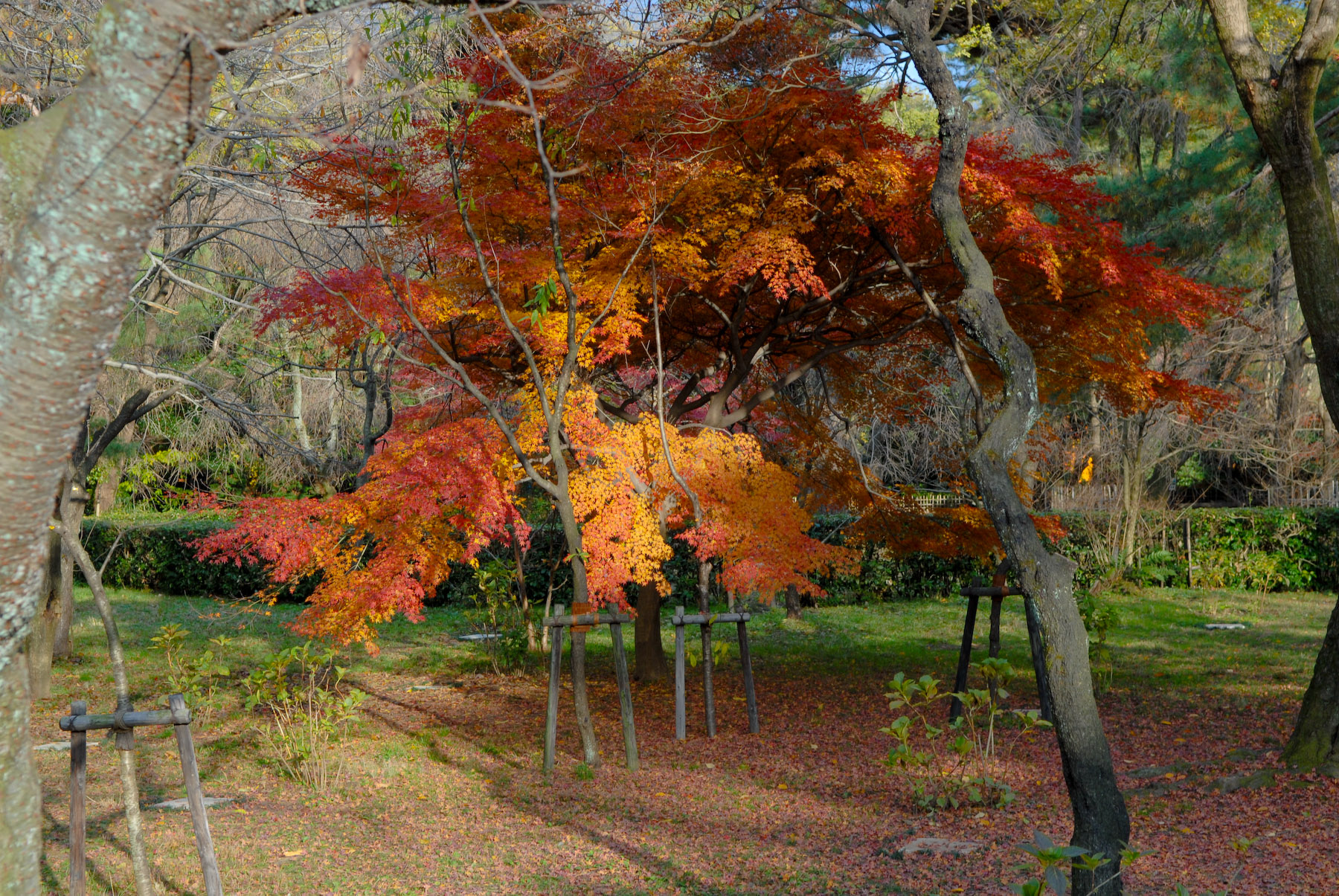
Nikon D200 + Nikkor 17-55 f/2.8 @ 40mm — 1/125 sec, f/5.6, ISO 100 — map & image data
Testing, Testing, is This Mic On?
Turning my attention back to the foliage, I was in awe of the effect the sun had. I wrote the other day about photographing fall colors in too much sun, but here, it seems that the leaves just drank it up and spit it out in pure, chromatic splendor.
This next shot looking up though various layers of branches with and without leaves isn't really very interesting, but it shows a bit of the dynamic nature of the weather, with some branches in the sun, and a dull gray overcast above...

Nikon D200 + Nikkor 85mm f/1.4 — 1/1250 sec, f/2.8, ISO 400 — map & image data
“It Was A Dark and Stormy Night....”

Nikon D200 + Nikkor 85mm f/1.4 — 1/500 sec, f/2.8, ISO 400 — map & image data
Taking Advantage of the Momentary Sun

My tale of woe was not over. Although the camera was taking pictures again, I hadn't realized that one effect of the reset option was to downgrade the image quality from “raw” (by far the best) to “regular” quality JPGs. Ugh.
I realize now that the “two-button reset” I'd used resets all electronic settings that you can make by pushing and twiddling buttons on the camera itself (as opposed to via the menu system). This can be convenient if you know what you're doing. At least in this respect, I now do.
Even as middle-quality JPGs, I was happy to be able to get the images
shown above, and this next one of Anthony waving as he climbs a slide. The foliage in the background has been left lackluster without the sun,
but this daddy still likes the picture 

Nikon D200 + Nikkor 17-55 f/2.8 @ 55mm — 1/250 sec, f/2.8, ISO 640 — map & image data
Waving to Daddy
The sun never came back, so we eventually went home. Wondering what might be in the “black” files, I loaded them into Lightroom and was thrilled to find them intact! The problem was apparently something to do with the camera's JPG processing engine, because although the raw data was fine, the two JPG versions embedded in the raw file were both completely black. It's those, of course, that are used for the on-camera display.
Here's one of the “lost” images with a desktop-background bonus...

Here's another...
















Later, after the sun was long gone and I'd put my camera back to its normal settings, I stepped back and took a wide-angle shot of the area through the many bare branches of a cherry tree (which itself must be absolutely stunning in early April, I'm sure). While I take this shot, a passing business man pauses to snap a picture with his cell phone.

Nikon D200 + Nikkor 17-55 f/2.8 @ 28mm — 1/125 sec, f/3.5, ISO 1000 — map & image data

Wide-Angle View
I'd like to say that the story ends on this still-not-understood but
seems-to-be-fine-now note, but sadly, it happened again today. Again, the reset fixed it,
so at least I can recover quickly, but I wish I didn't have to, so I guess I have to contact Nikon.

Can’t wait to see what, if any, problems arise in my D300. Shame, if your D200 keeps acting up you might have to trade it in for one of these. That is, of course, if you happen to have $5000 in holiday cash budgeted!
You know what they say, Murphy’s Law says what will go wrong will [or something like that].
The Canons often come up with Err 99 that means “I don’t know what the heck caused this error”
It sounds like some of your problem.
Good luck
Mel
Shucks, time to get a D300!
Did you ever figure out why you were getting the error message? Mine is doing the same thing. I change lens, changed the card, changed batteries, did the qual, changed to manual, nothing works. Still the err message.
I ran into this again, with my 17-55/2.8, on a cool day in Vancouver. Turning the camera off and on fixed things for a few shots, but I found that once I unseated the lens momentarily, then put it back, it worked fine for the rest of the day. Hmm….